
777Fe Register | Create Your 777Fe Game Account in Pakistan
Introduction
Creating an account is usually the first step for users who want to explore an online gaming platform. The 777Fe Register process is a topic of interest for Pakistani users looking for information about account creation, login details, and available gaming features. Before getting started, it is important to understand the registration requirements and follow a careful approach when sharing personal information online.

This guide explains how users can create a 777Fe Game account, what details they may need, and how to manage their accounts responsibly. It also covers common registration problems, security precautions, and frequently asked questions to help new users understand the process.
What Is 777Fe Register?
777Fe Register refers to the process of creating a new account on a platform associated with the 777Fe name. The title also mentions 777Fe Game, so users should confirm that the registration page belongs to the specific service they intend to use. Similar names do not necessarily indicate that two platforms share the same operator, account system, or terms.
Registration may provide access to account-related sections, game menus, promotional information, and transaction features, depending on the platform. Available services can vary by website, application version, and location. Pakistani users should review the platform’s official information before submitting their details or using any financial feature.
Requirements for Creating an Account
Before beginning the registration process, prepare the information requested by the official platform. Requirements may differ, but the following details are commonly requested by online services:
- A valid number may be required for account identification or verification.
- Choose a strong password that is difficult for others to guess.
- Some platforms send a one-time code to confirm access to a registered number.
- This field may be optional if the platform offers a referral programme.
- Complete only the information required by the official registration form.
How to Complete the 777Fe Registration Process
The exact registration steps depend on the official website or application. If the service supports new account creation, the following general process can help you understand what to expect.
Find the Official Platform
Locate the official website or verified application associated with the service you want to use. Check the domain name and available contact information before proceeding. Avoid unfamiliar download pages, suspicious advertisements, and unofficial links shared through messaging groups.
Open the Registration Page
Look for an option labelled Register, Sign Up, or Create Account. Select the appropriate option to open the registration form. If no registration option is available, consult the platform’s official support resources rather than using an unrelated website.
Enter the Required Information
Fill in the requested fields carefully. Check your mobile number and other details before moving forward. Do not enter false information or provide details that the service does not reasonably require.
Create a Secure Password
Choose a unique password that you do not use for email, social media, or banking accounts. A combination of letters, numbers, and symbols can improve password strength when supported. Avoid simple passwords based on your name, birth date, or phone number.
Complete Verification
If the platform requires phone or email verification, follow the instructions provided on its official page. Enter any verification code only on the legitimate website or application. Never share one-time passwords with another person, even if they claim to be a customer support representative.
Review the Terms
Read the platform’s terms, privacy policy, eligibility requirements, and transaction rules before accepting them. Make sure the service is legally available to you and that you understand its conditions.
Access Your Account
After successful registration, use the login option to access your account. Confirm that your profile information is correct and review the available security settings. Registration does not guarantee access to every feature or eligibility for promotional offers.
How to Log In After Registration
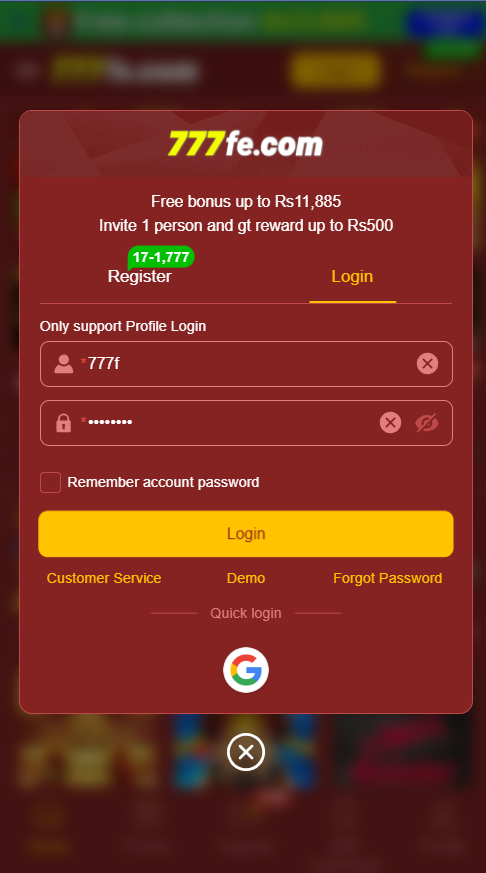
Once your account has been created, returning users can generally sign in through the official login page. Enter the registered identifier and password requested by the service. If additional verification is enabled, complete that step using the official interface.
If you cannot access your account, check your internet connection and confirm that your login details are correct. Use the official password recovery option if necessary. Avoid repeatedly submitting incorrect details, and never pay an unknown person who promises to recover your account.
Main Features Users May Explore
Features depend on the actual platform and may change over time. The following are common categories users might encounter on an online gaming service.
- A menu may organise available games into different categories.
- A profile section may display basic account information.
- Some platforms publish offers subject to specific eligibility rules.
- A referral programme may allow eligible users to invite others.
- Certain services provide a history of account transactions.
- Official assistance channels may help with account-related questions.
Tips for Keeping Your Account Secure
Protecting your account should remain a priority after registration. Online platforms can involve privacy and financial risks, particularly when users download applications from unfamiliar sources.
- Use a unique password and update it if you suspect unauthorised access.
- Keep verification codes and login credentials private.
- Download applications only from trusted, verified sources.
- Review permissions before allowing an application to access your device.
- Avoid logging in through public computers or unsecured networks.
- Check website addresses carefully before entering account information.
- Contact official support if you notice unfamiliar activity.
- Never trust messages promising guaranteed winnings or risk-free profits.
Common Registration Problems and Solutions
Why Is the Verification Code Not Arriving?
Check that your mobile number is correct and that your device can receive messages. Wait briefly before requesting another code. If the problem continues, use the official support channel.
What If the Registration Page Does Not Open?
Check your internet connection and verify the website address. You can also try updating your browser. Do not install unknown files simply because a page recommends them.
Can I Create Another Account?
The answer depends on the platform’s account rules. Some services restrict users to one account. Read the applicable terms before attempting to register again.
What Should I Do If I Forget My Password?
Use the official account recovery feature, if available. Follow its verification instructions and create a new, unique password. Do not give your credentials to third-party recovery services.
Is 777Fe Register Free in Pakistan?
Creating an account may be free if the platform does not charge a registration fee, but this should be confirmed through its official terms. Free registration does not necessarily mean every game or feature is free to use. Certain services may involve deposits, purchases, or other financial conditions.
Pakistani users should verify the platform’s legitimacy, local legal requirements, payment policies, and age restrictions before signing up. Do not assume that a service is authorised or safe simply because its registration page is accessible.
Frequently Asked Questions
1. What is 777Fe Register?
It refers to creating a new account on a service associated with the 777Fe name. Confirm the correct platform before registering.
2. Can Pakistani users create a 777Fe register account?
Availability depends on the platform’s current rules, eligibility requirements, and applicable local laws.
3. What information is needed for registration?
The service may request a mobile number, password, verification code, or other necessary account details.
4. Do I need a referral code?
Not necessarily. A referral code may be optional, depending on the registration form.
5. Is registration guaranteed to succeed?
No. Registration may fail because of verification issues, incorrect information, eligibility restrictions, or technical problems.
6. Is it safe to share my password with support?
No. Keep your password and one-time verification codes private, including when communicating with support representatives.
Conclusion
The 777Fe Register process can be easier to understand when users check the correct platform, prepare their required details, and follow the official registration instructions. Anyone searching for a 777Fe register account in Pakistan should verify the service’s identity and availability before submitting personal information. Strong passwords, careful verification, and awareness of platform rules can help protect account security. Most importantly, review any financial conditions and local legal requirements before using paid features. A careful approach helps users make informed decisions while exploring online gaming services.